From WhatsApp and texts to a dedicated work chat
Move shift swaps, cover requests and rota questions out of personal chats. Set up a work channel and make it clear which shifts are confirmed.
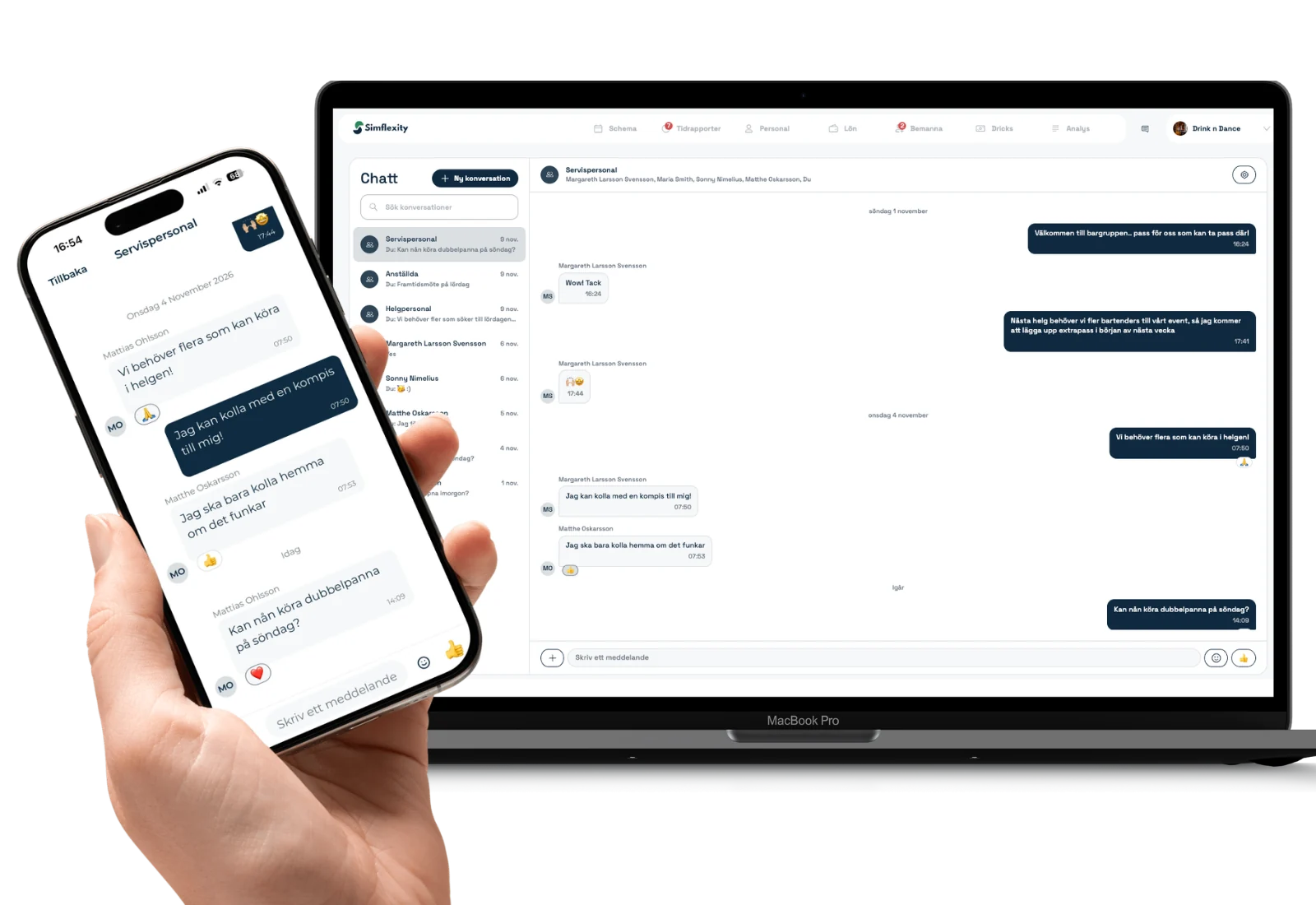
“Can anyone cover Sunday’s shift?”
The question goes into a WhatsApp group. One person replies there. Another texts the manager directly. As Sunday approaches, someone still has to check who took the shift and whether the rota was updated.
A dedicated work chat can keep the conversation in one place. Give everyone a simple rule for knowing who’s working: discuss the shift in chat and confirm the change in the rota.
Give work conversations their own space
In a conversation with a deputy CEO, one principle stood out: work and private life should stay separate. Their company had chosen a dedicated tool for work communication for that reason.
It’s easy to see why. The same personal app might hold family messages, a group chat with friends and a question about who can open on Saturday. A dedicated work channel gives staff a clear place to look when they need an update.
But if the rota is in one app, shift questions are in another and changes still arrive by text, there are several places to check. Start with the question that tends to spill across channels: who’s working when?
Discuss it in chat. Confirm it in the rota.
Say someone needs to swap their Saturday shift. A colleague replies, “I can take it.” One person may assume the swap is done. The other may be waiting for the manager to approve it.
Agree on the steps in advance:
- The employee raises the shift swap in the work chat.
- The person responsible for staffing confirms it according to your team’s process.
- The rota is updated so both employees can see who’s working.
The same routine works when a shop needs someone to help close, an event needs more people on site or a restaurant needs extra cover at the weekend. The chat helps you find a solution. The rota shows what you agreed.
Agree on when people need to reply
A work chat gives work its own space. To make that boundary useful, the team also needs to know when a reply is expected.
Tell staff which messages can wait until their next shift and who to call if something is urgent. Make it clear whether a message about an extra shift is a request or a confirmation. That way, staff don’t have to treat every notification as something they need to deal with straight away.
Start with shift questions
You don’t have to move every conversation at once. Start with shift swaps, requests for cover and questions about upcoming shifts. Tell people which channel to use, who confirms changes and where they can find the current rota.
In Simflexity, work chat and the rota are in the same tool. Managers can message all staff, a group or one person. A question about weekend cover can go to the relevant group, and staff can then check the rota to see what’s confirmed.
Want to see how this would work for your team? Bring a typical shift swap to a walkthrough and we’ll show you how to keep the conversation and the rota together.